

Enable Webhooks
To implement webhooks in your application, follow these essential steps:1
Configure Your Endpoint
Create a publicly accessible HTTP endpoint in your application that can receive POST requests. This endpoint must be available over HTTPS and return a 2xx status code to acknowledge receipt of webhook events.
2
Configure Webhooks in Partner Dashboard
Configure your webhook endpoint URL directly through the Partners Dashboard. Provide the complete HTTPS URL where you want to receive webhook notifications.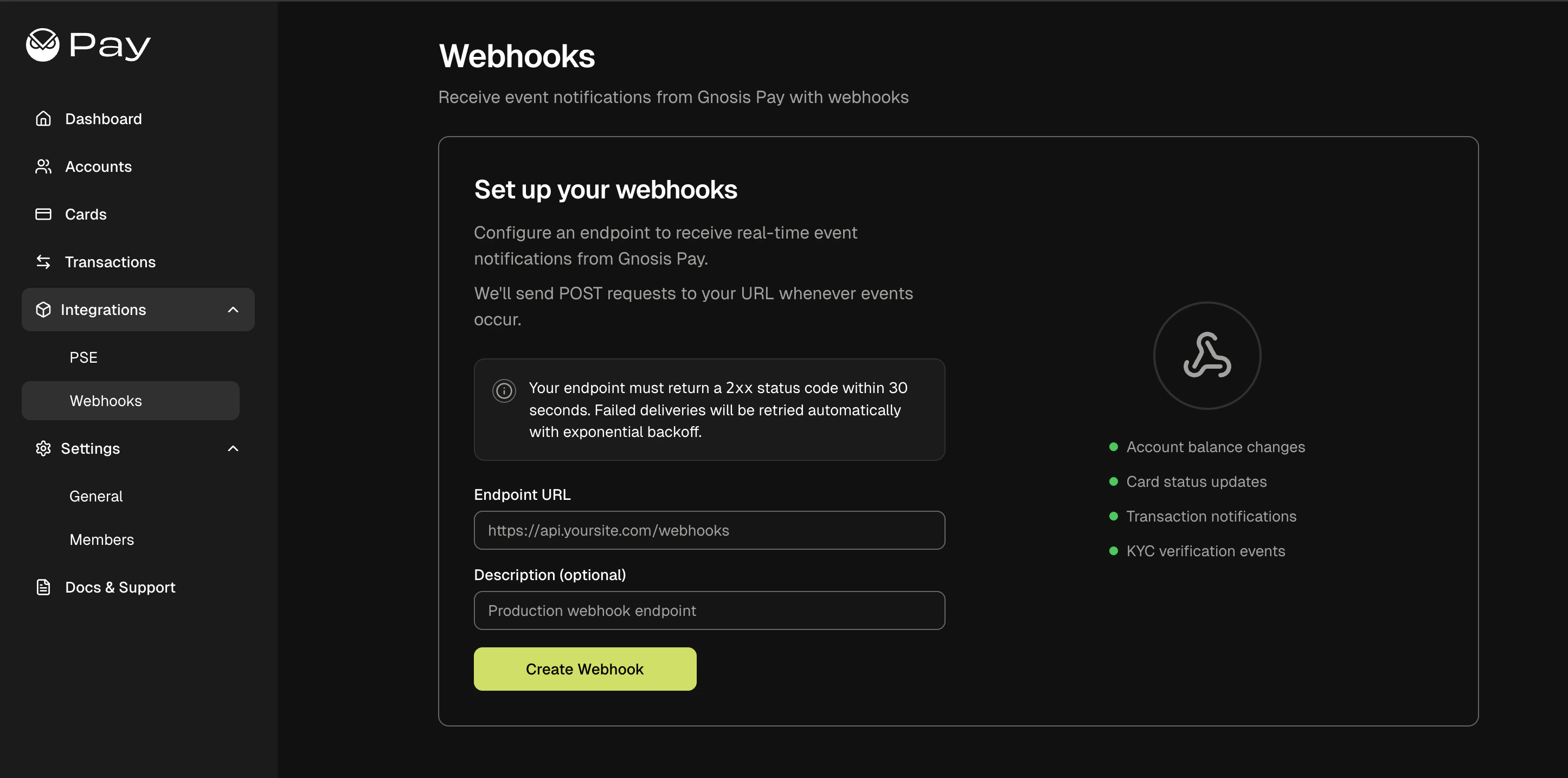
- Sandbox
3
Receive and Verify Events
When events happen in the Gnosis Pay system, we’ll send HTTP POST requests to your webhook endpoint with event data and cryptographic signatures.All webhooks include cryptographic signatures using Ed25519 asymmetric cryptography:
X-Webhook-Timestamp: Unix timestamp when the webhook was sentX-Webhook-Signature: Base64-encoded Ed25519 signature
4
Parse and Process Event Data
Extract the Handle each event type appropriately in your application. Since we send complete entity data, you typically won’t need additional API calls to get the full context.
Type and data fields from the webhook payload. The Type identifies what happened (e.g., user.created, kyc.status.changed), while data contains the complete entity information.Process events idempotently to handle potential duplicates, and implement proper error handling and logging for monitoring.
Retry Policy:
- Max attempts: 5 retries
- Timeout: 30 seconds per request
- 4xx responses: Treated as permanent failures (no retry) - endpoint misconfiguration
- 5xx/connection errors: Retried up to maximum attempts
- Config changes: Jobs cancelled if webhook config is paused/deleted during delivery